
1. Download the CSV file
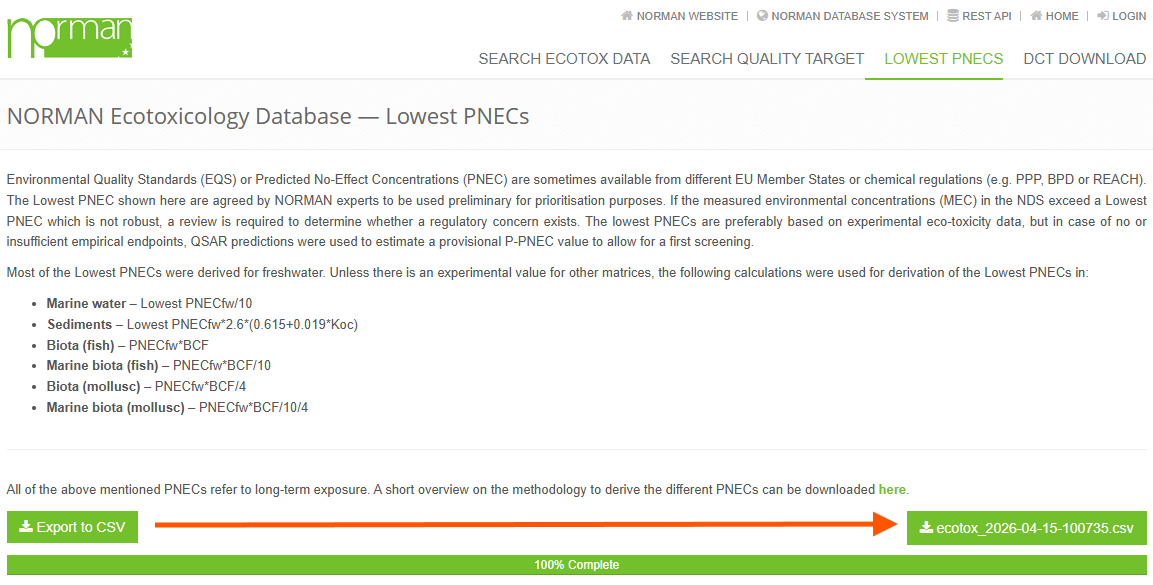
- Click the “Export to CSV” button
- Wait a few seconds while the file is generated on the server
- Once the download button appears (e.g.
ecotox_YYYY-MM-DD-HHMMSS.csv), click it - The file will be saved to your computer (usually in the Downloads folder)
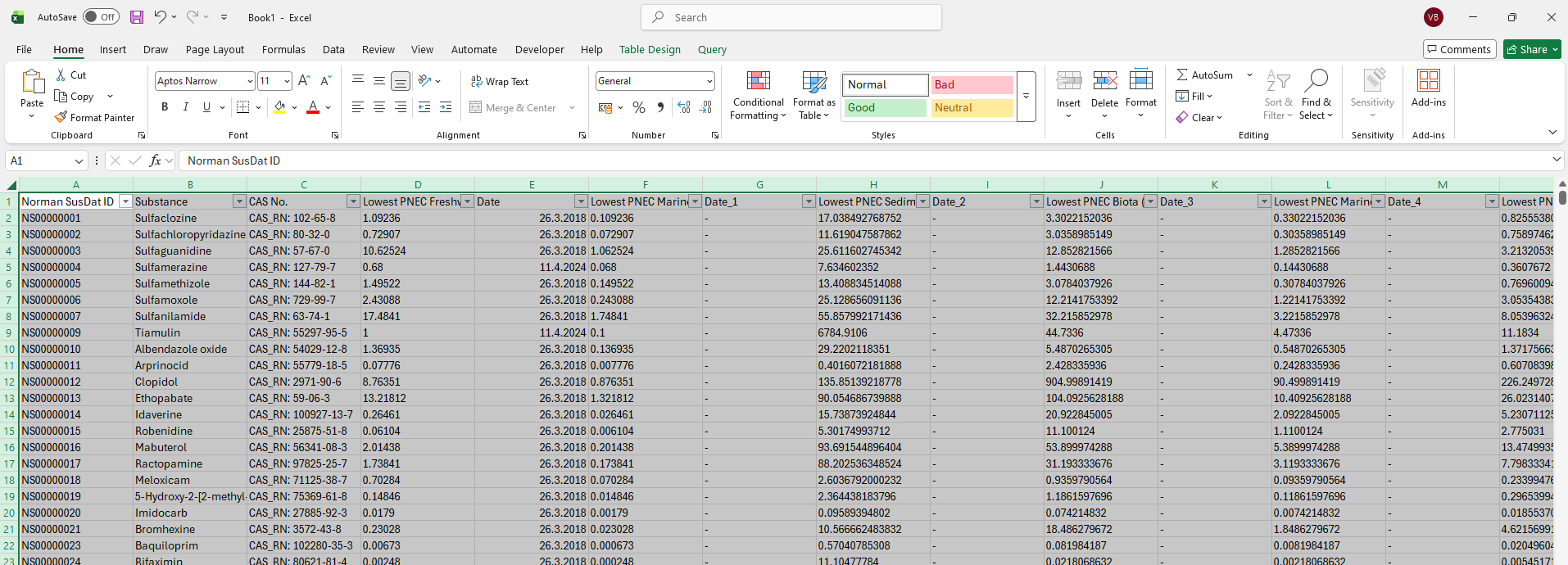
2. Open the CSV file in Excel
You have two options:
Option A – Quick open
- Locate the downloaded file
- Double-click it
- It will open in Microsoft Excel
👉 Note: Sometimes the data may not be properly split into columns
Option B – Proper import (recommended)
- Open Microsoft Excel
- Go to:
- File → Open, or
- Data → From Text/CSV
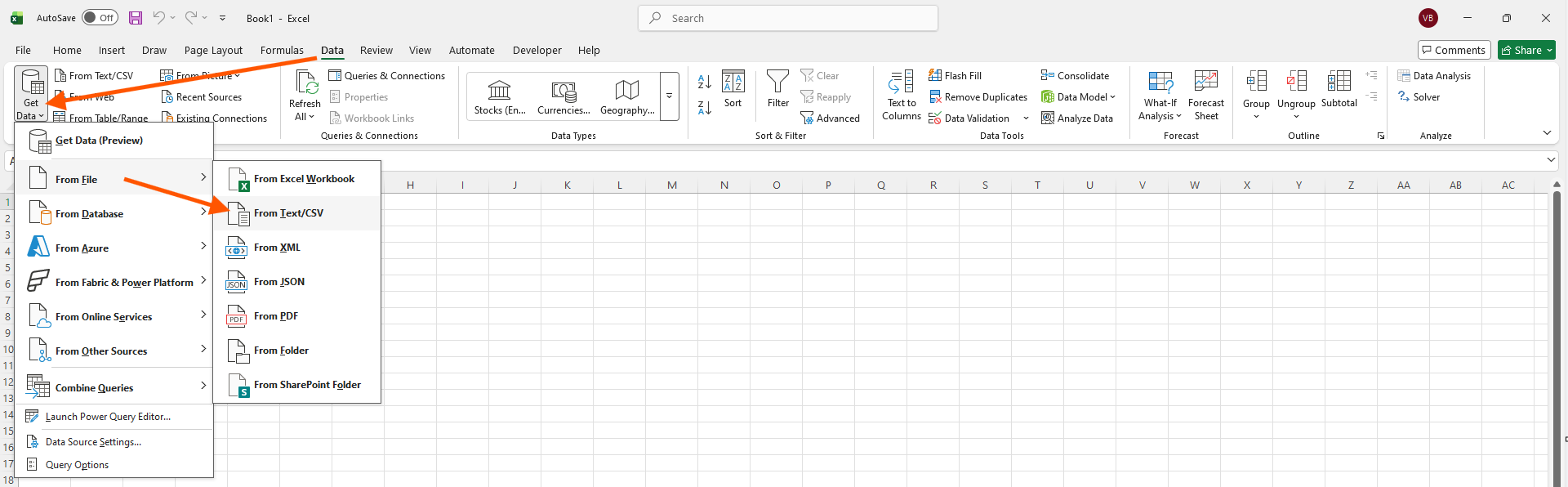
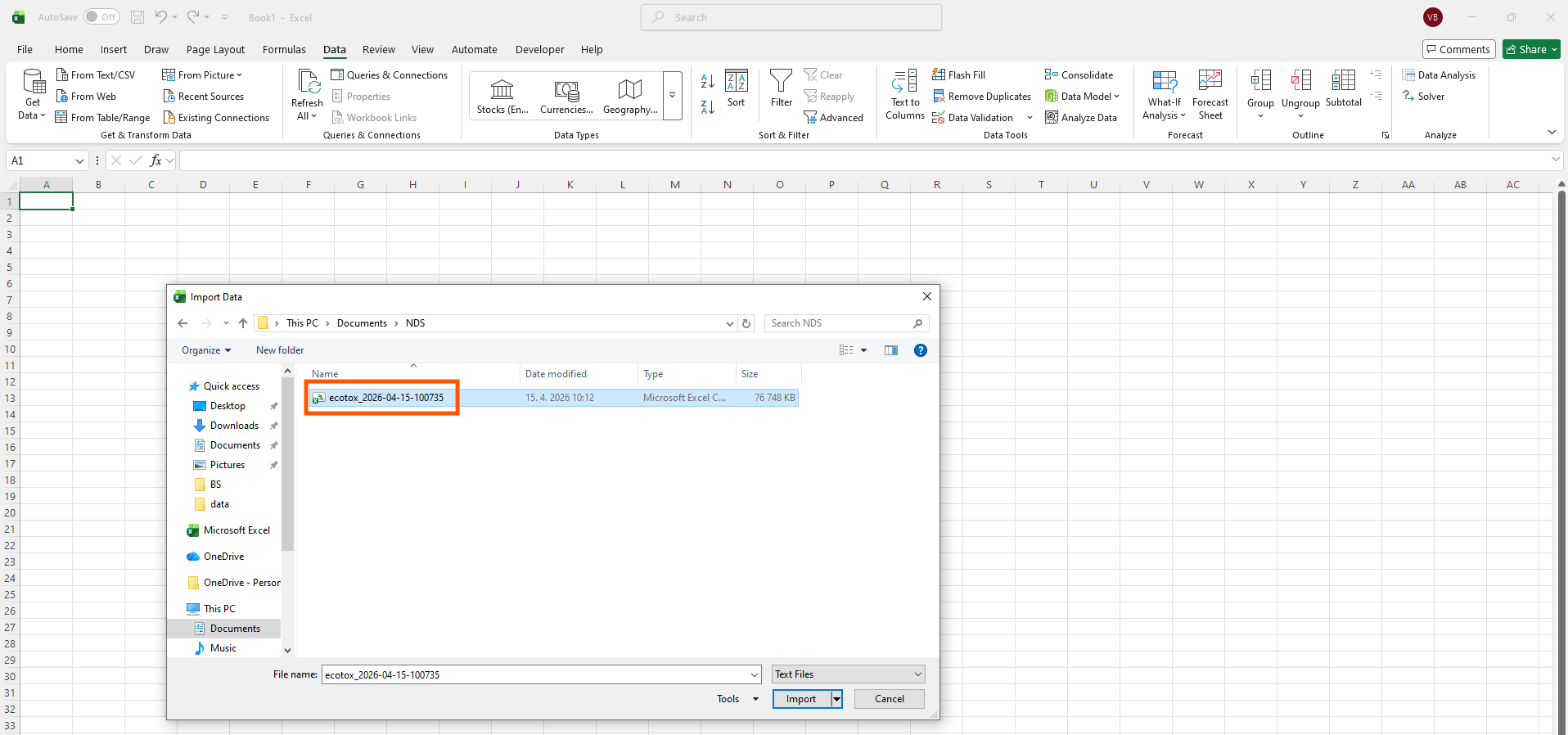
- Select your CSV file
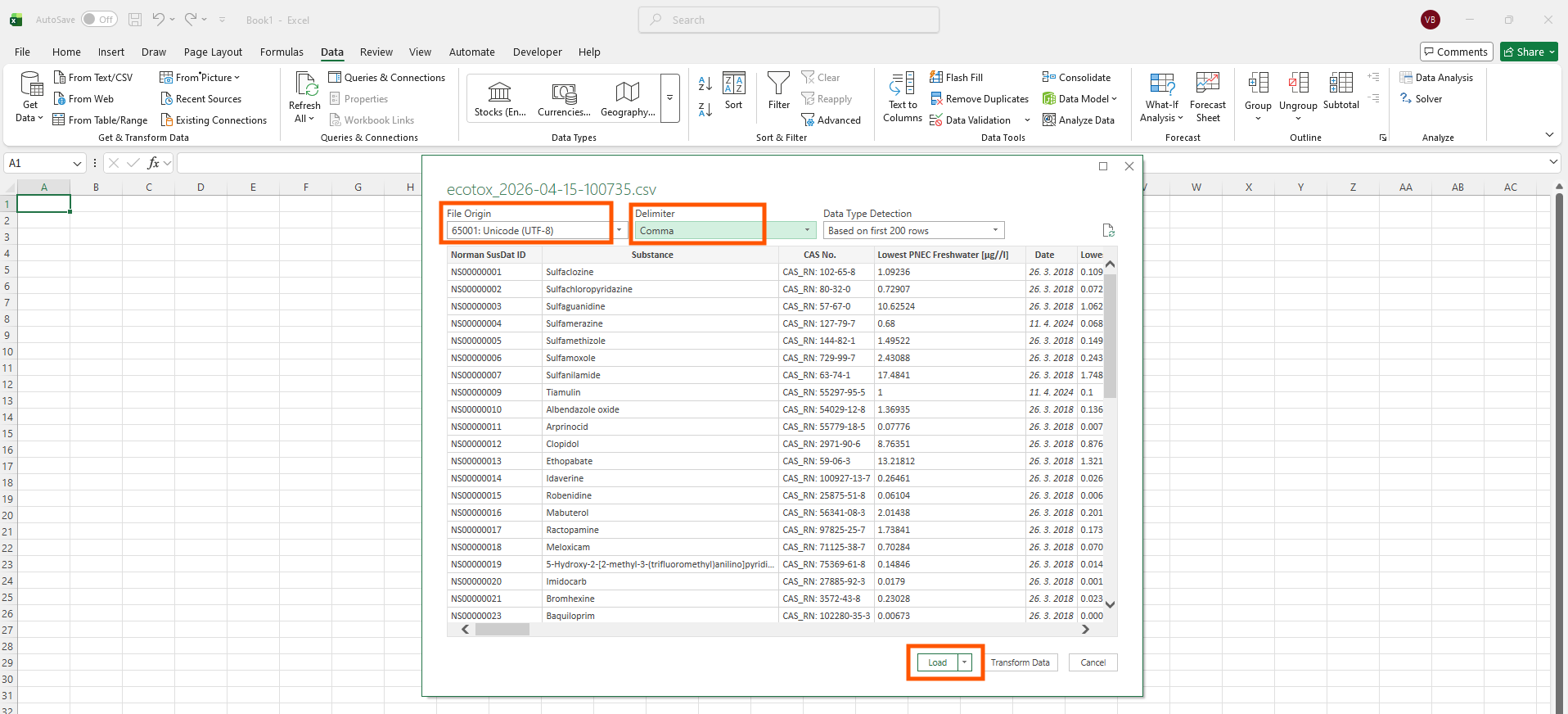
- In the preview window, set:
- Delimiter: usually
;or, - Make sure the data is correctly split into columns
- Delimiter: usually
- Click Load
Tips
- If all data appears in one column → change the delimiter
- If characters look incorrect → try encoding UTF-8

NORMAN organises the development and maintenance of various web-based databases for the collection & evaluation of data / information on emerging substances in the environment
NORMAN Database System
Contact Us
Email: slobodnik@ei.sk
Email: norman@ei.sk
Url: https://www.norman-network.com/
Url: https://www.norman-network.net/
Url: https://www.normandata.eu/
2026 © All Rights Reserved. Privacy Policy